Cline Integration
Use AndAI LLM Hub with Cline for AI-powered coding assistance in VS Code
Cline is an autonomous AI coding assistant that lives in your VS Code editor. It can create and edit files, run terminal commands, and help you build complex projects. You can configure Cline to use AndAI LLM Hub for access to multiple AI providers with unified billing and cost tracking.
Prerequisites
- VS Code based IDE installed
- An AndAI LLM Hub API key
Setup
Cline supports OpenAI-compatible API endpoints, making it straightforward to integrate with AndAI LLM Hub.
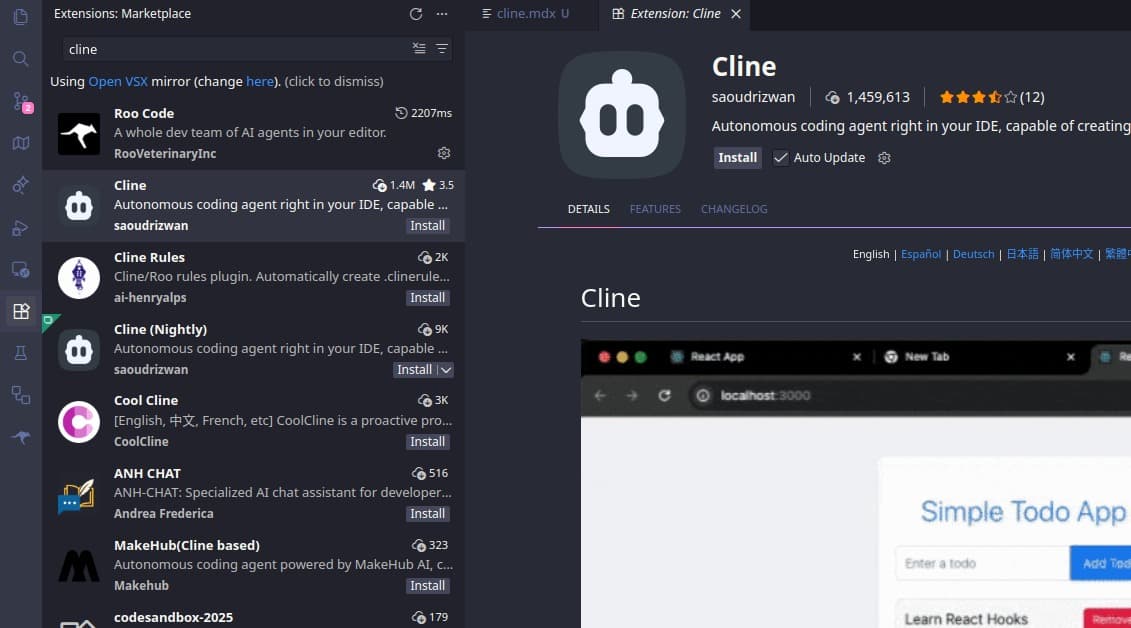
Install Cline Extension
- Open VS Code
- Go to the Extensions view (Cmd/Ctrl + Shift + X)
- Search for "Cline"
- Click Install on the Cline extension
Open Cline Settings
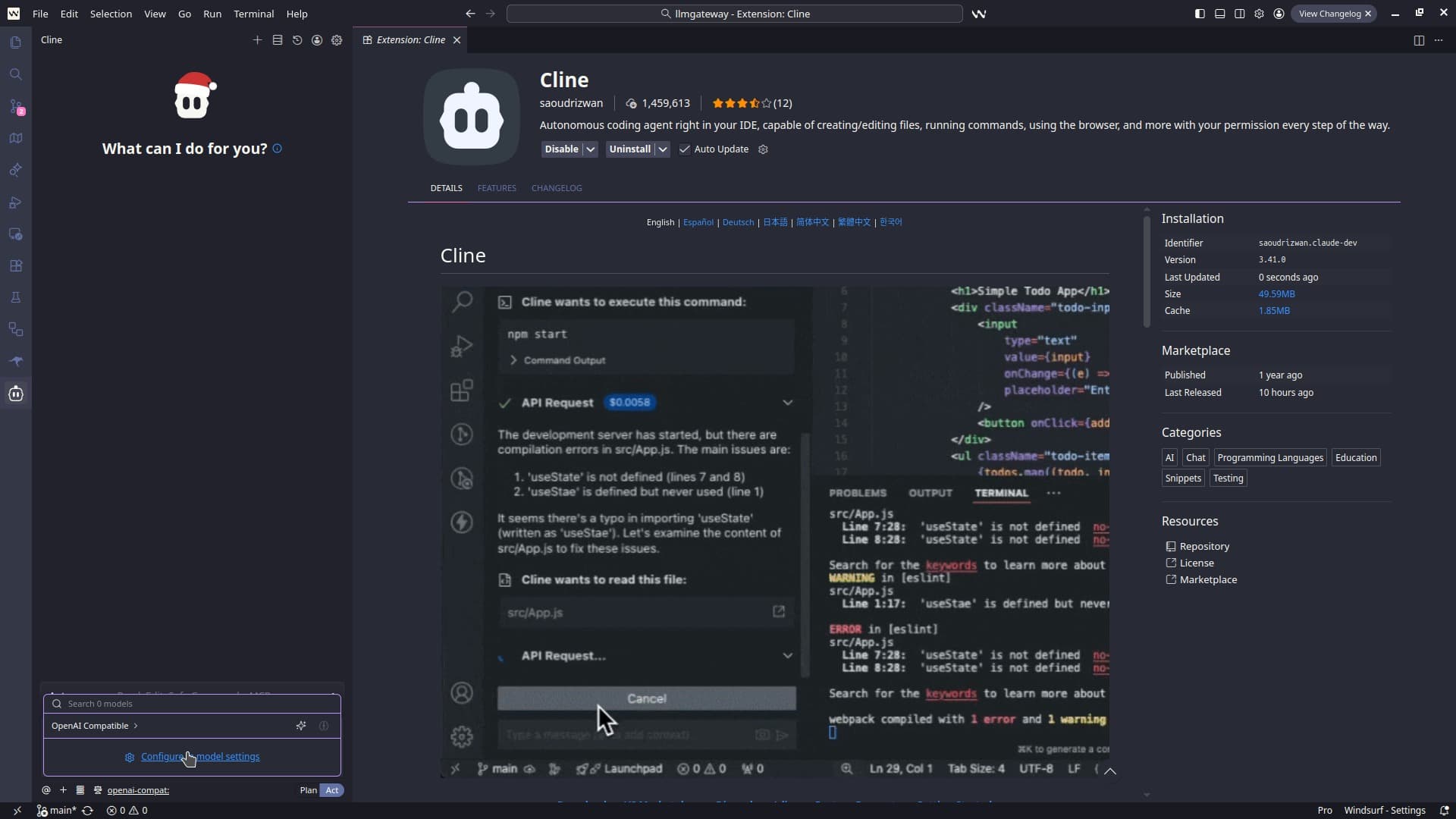
- Click on the Cline icon in the VS Code sidebar
- Click the settings gear icon in the Cline panel
Configure API Provider
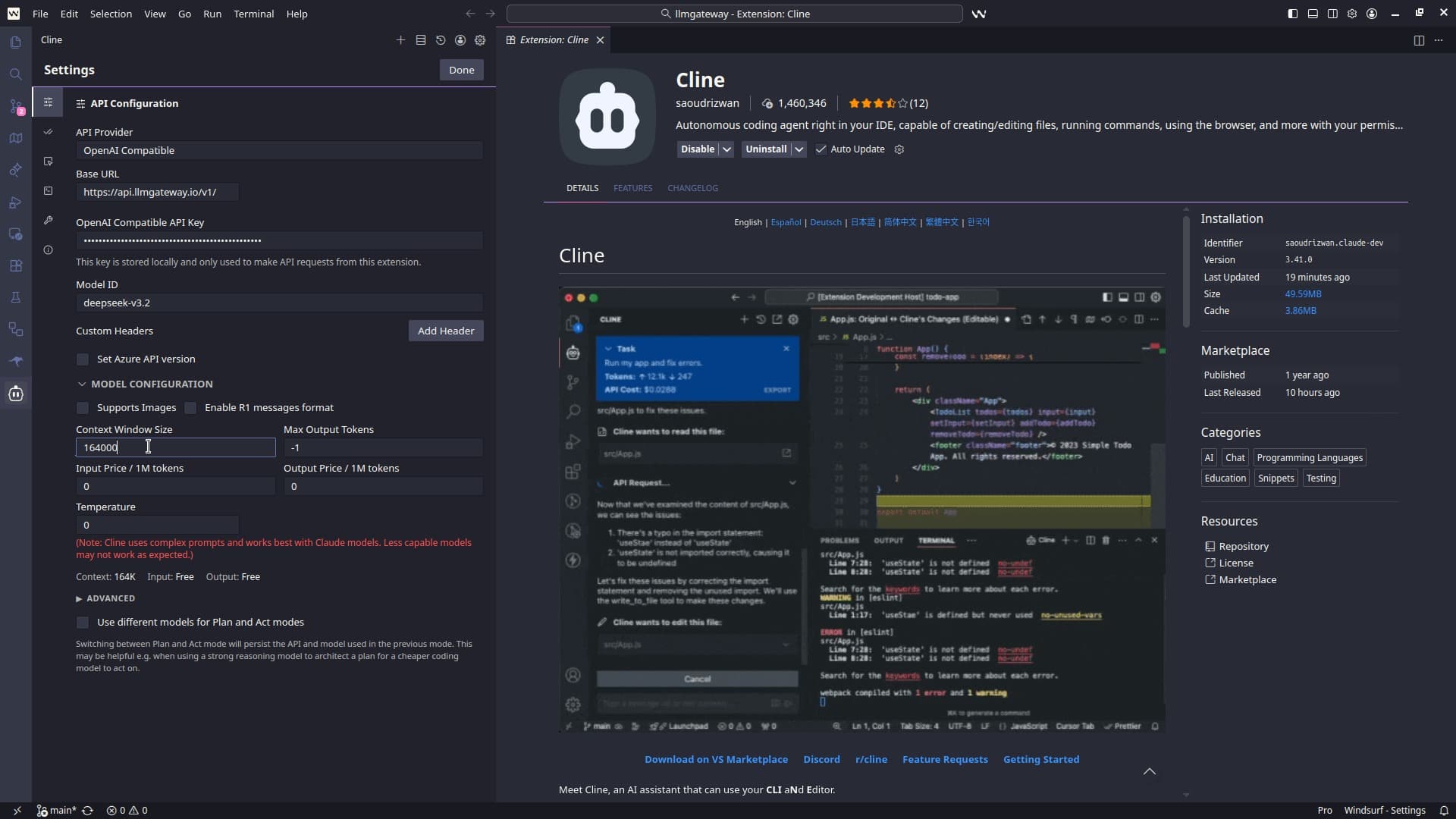
- In the API Provider dropdown, select OpenAI Compatible
- Enter the following details:
- Base URL:
https://api.llmhub.andaihub.ai/v1 - API Key: Your AndAI LLM Hub API key
- Model ID: Choose a model (e.g.,
claude-opus-4-5-20251101,gpt-5.2,gemini-3-pro-preview,deepseek-3.2). See provider-specific routing for more options.
- Base URL:
Test the Integration
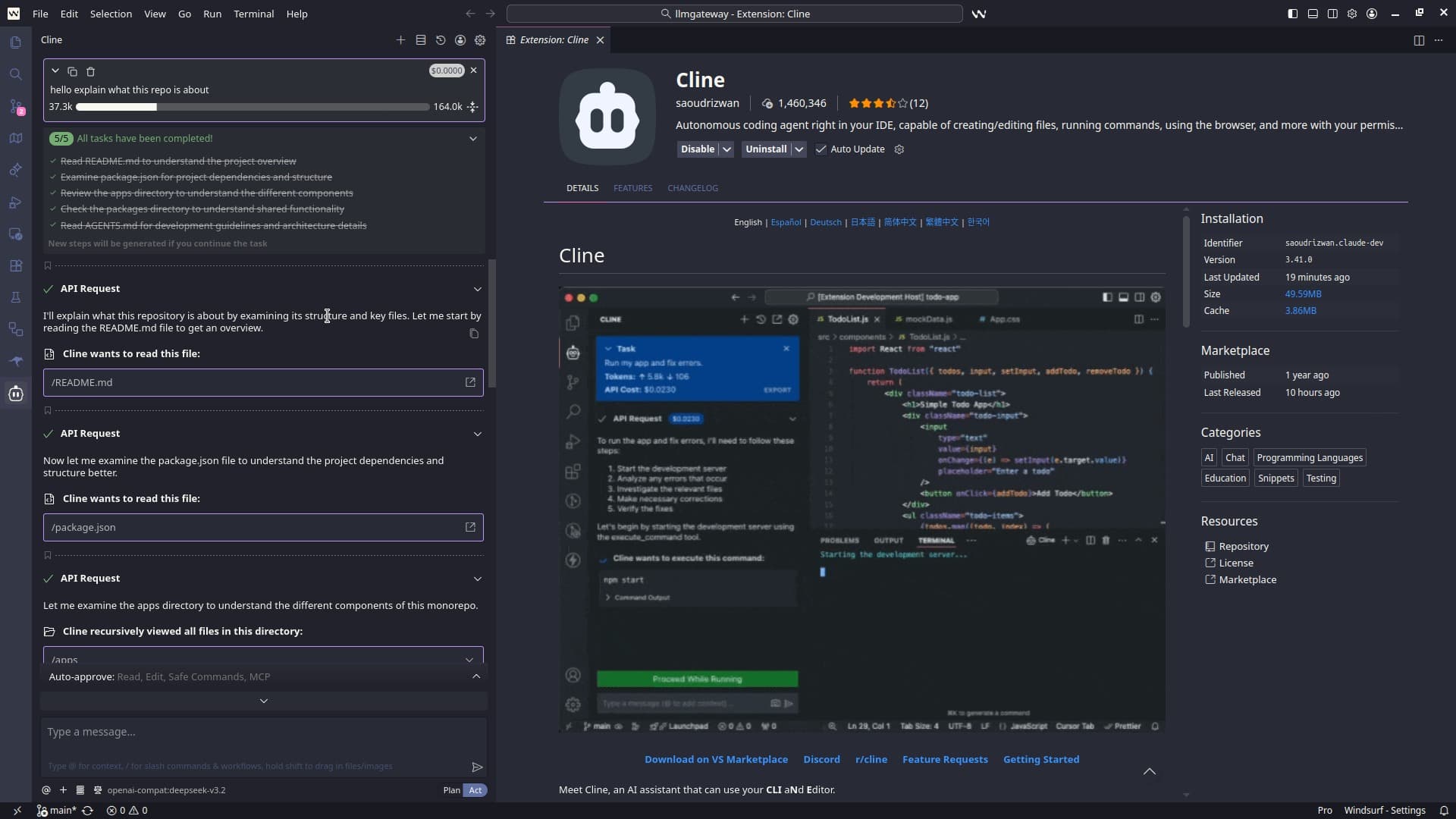
- Open a project in VS Code
- Click on the Cline icon in the sidebar
- Type a message like "Create a hello world function in Python"
- Cline should respond and offer to create the file
All requests will now be routed through AndAI LLM Hub.
View all available models on the models page.
Features
Once configured, you can use all of Cline's features with AndAI LLM Hub:
Autonomous Coding
- Create new files and projects from scratch
- Edit existing code based on natural language instructions
- Refactor and improve code quality
Terminal Commands
- Run build commands, tests, and scripts
- Install dependencies
- Execute any terminal operation
File Management
- Create, read, and modify files
- Navigate your codebase
- Search for relevant code
Model Selection Tips
Using Provider-Specific Models
To use a specific provider's version of a model, prefix the model ID with the provider name. See provider-specific routing for more options.
Using Discounted Models
AndAI LLM Hub offers discounted access to some models. Find them on the models page and copy the model ID.
Using Free Models
Some models are available for free. Browse them on the models page.
Need help? Contact AndAI LLM Hub support for troubleshooting assistance.
Benefits of Using AndAI LLM Hub with Cline
- Multi-Provider Access: Use models from OpenAI, Anthropic, Google, and more through a single API
- Cost Control: Track and limit your AI spending with detailed usage analytics
- Unified Billing: One account for all providers instead of managing multiple API keys
- Caching: Reduce costs with response caching for repeated requests
- Analytics: Monitor usage patterns and costs in the dashboard
How is this guide?
Last updated on