Cursor Integration
Use AndAI LLM Hub with Cursor IDE for AI-powered code editing and chat
Cursor is an AI-powered code editor built on VSCode. You can configure Cursor to use AndAI LLM Hub for enhanced AI capabilities, access to multiple models, and better cost control.

Prerequisites
- An AndAI LLM Hub account with an API key
- Cursor IDE installed
- Basic understanding of Cursor's AI features
Setup
Cursor supports OpenAI-compatible API endpoints, making it easy to integrate with AndAI LLM Hub.
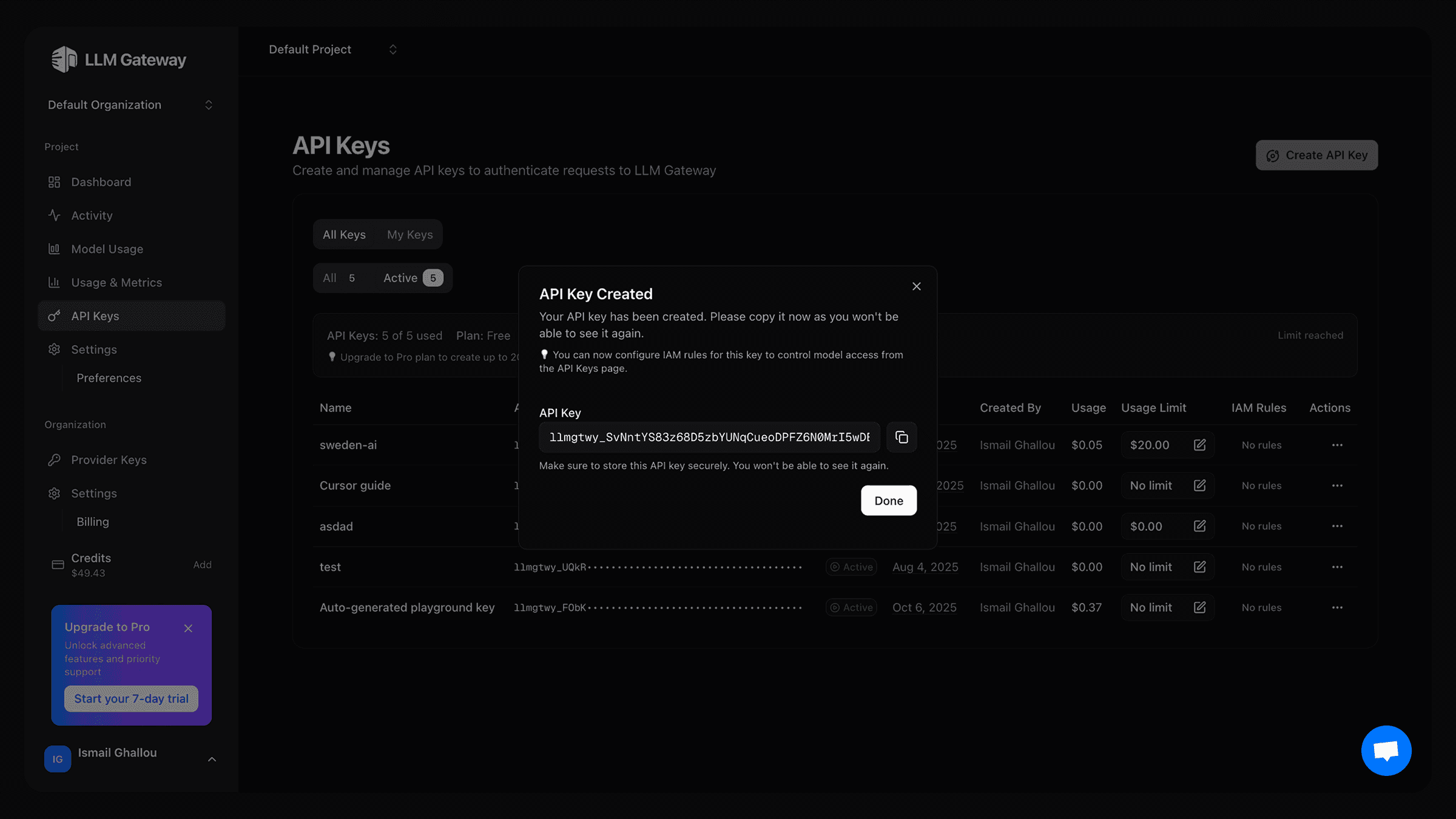
Get Your API Key
- Log in to your AndAI LLM Hub dashboard
- Navigate to API Keys section
- Create a new API key and copy the key
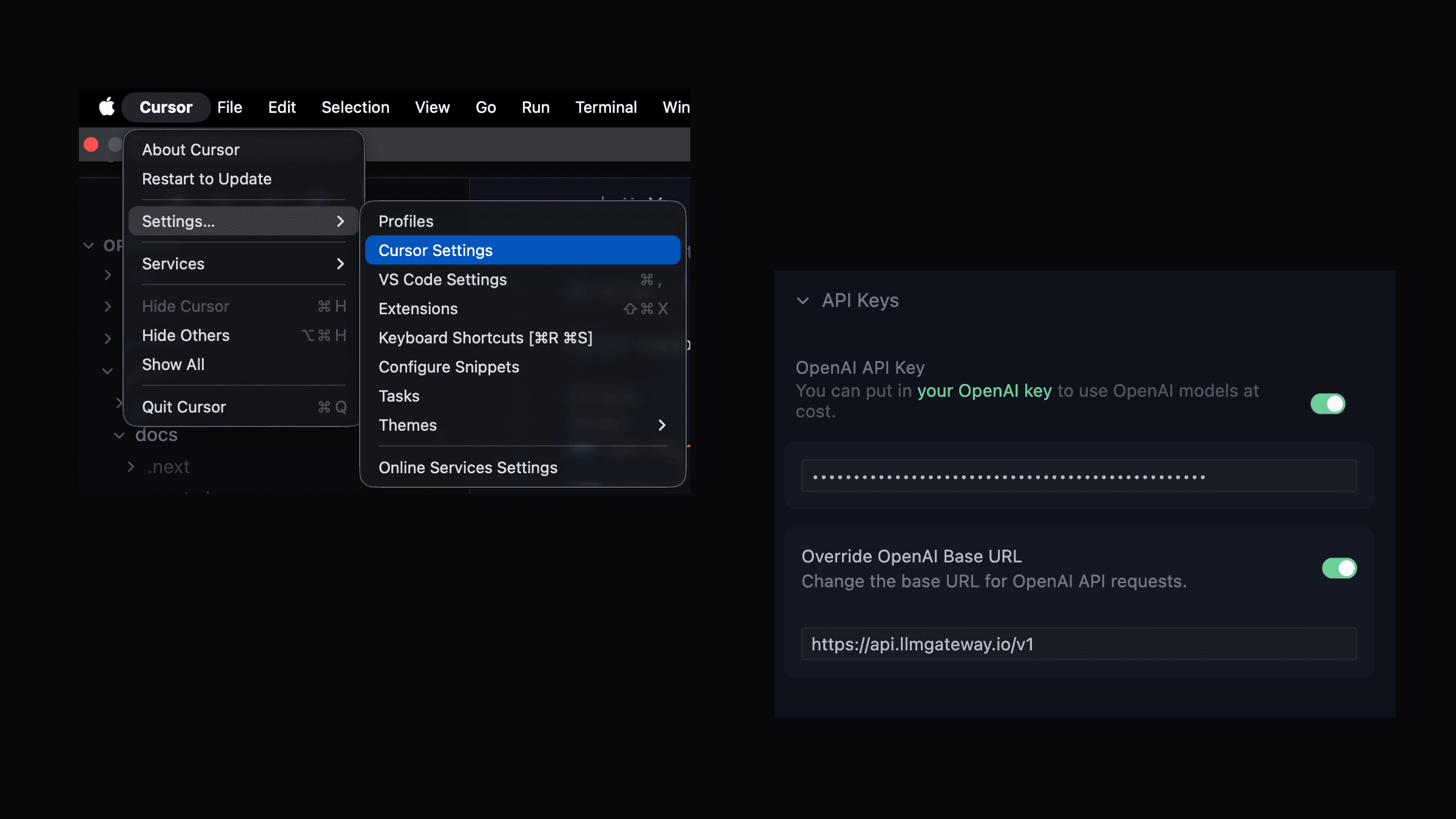
Configure Cursor Settings
- Open Cursor and go to Settings then Click on "Cursor Settings"
- Click on "Models"
- Click on "Add OpenAI API Key"
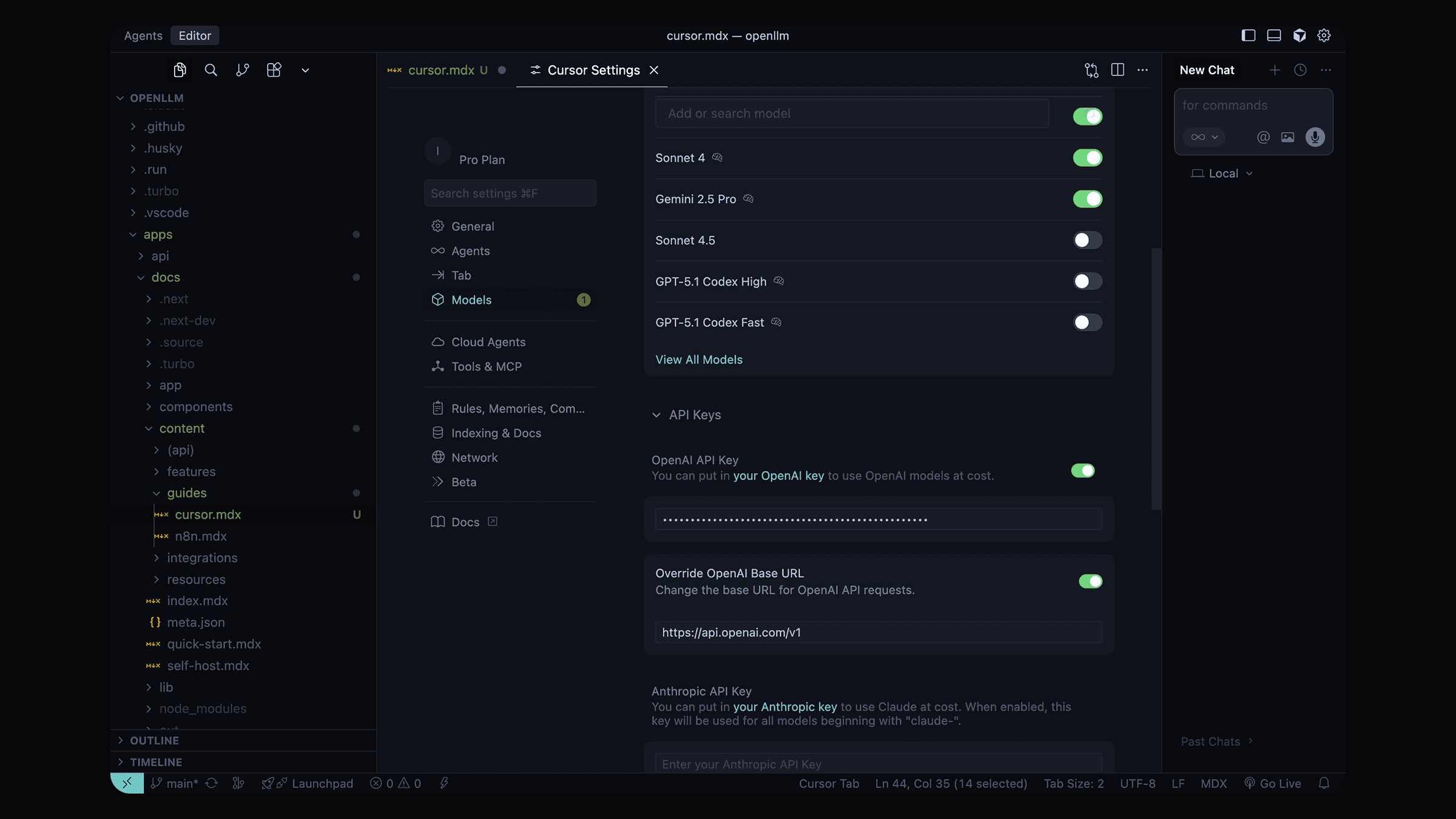
- Scroll down to OpenAI API Key section
- Click on Add OpenAI API Key
-
Enter your AndAI LLM Hub API key
-
In the same Models settings, find the Override OpenAI Base URL option
-
Enable the override option
-
Enter the AndAI LLM Hub endpoint:
https://api.llmhub.andaihub.ai/v1
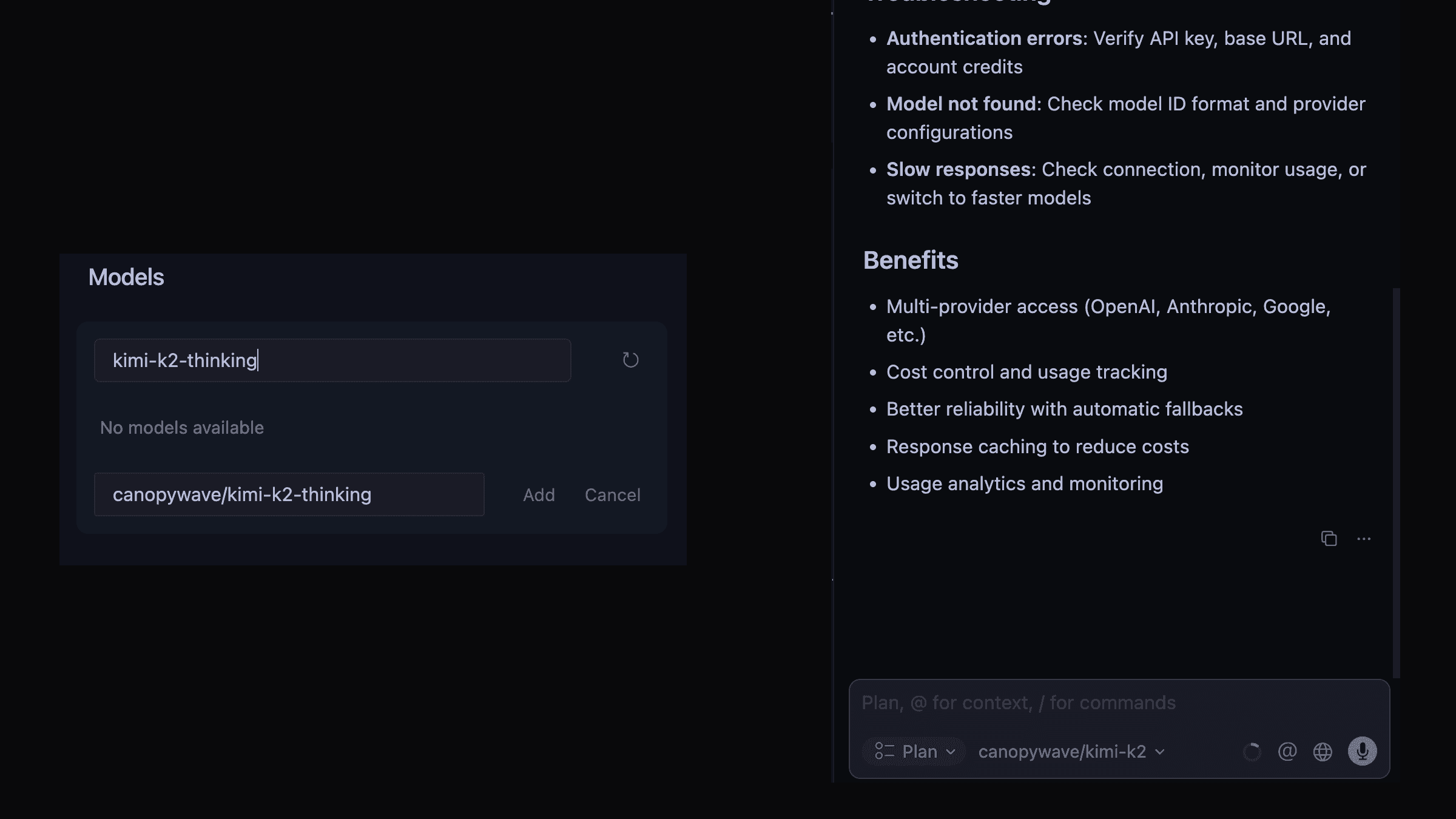
Select Models
- In the Models section, you can now select from available models
- Choose any AndAI LLM Hub supported model:
- For chat: Use models like
gpt-5,gpt-4o,claude-sonnet-4-5 - For provider specific models: Add the provider name before the model name (e.g.
openai/gpt-5,anthropic/claude-sonnet-4-5,google/gemini-2.0-flash-exp) - For custom models: Add the provider name before the model name (e.g.
custom/my-model) - For discounted models: copy the ids from from the models page
- For free models: copy the ids from from the models page
- For reasoning models: copy the ids from from the models page
Test the Integration
- Open any code file in Cursor
- Try using the AI chat (Cmd/Ctrl + L)
- Or test the autocomplete feature while typing
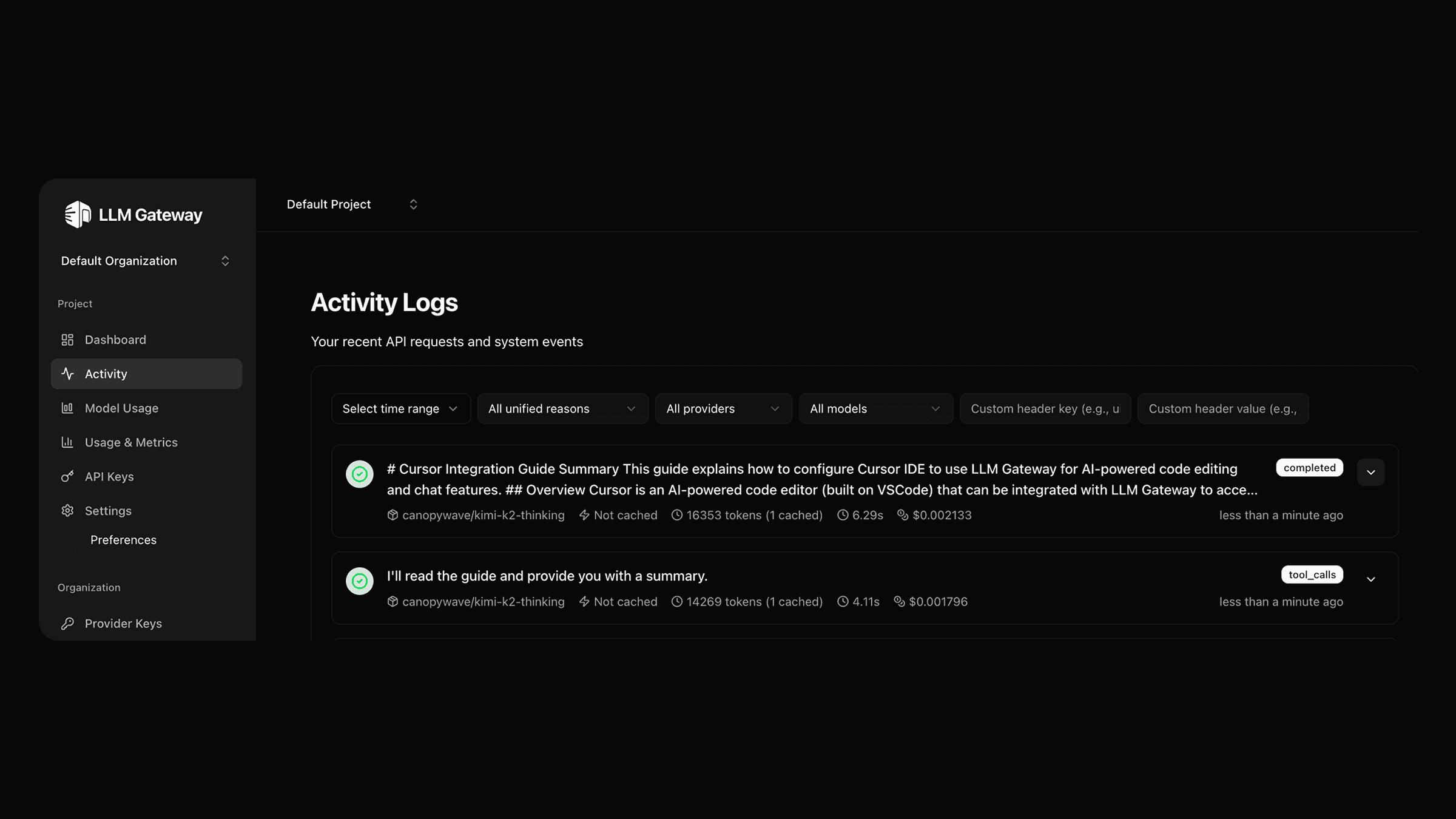
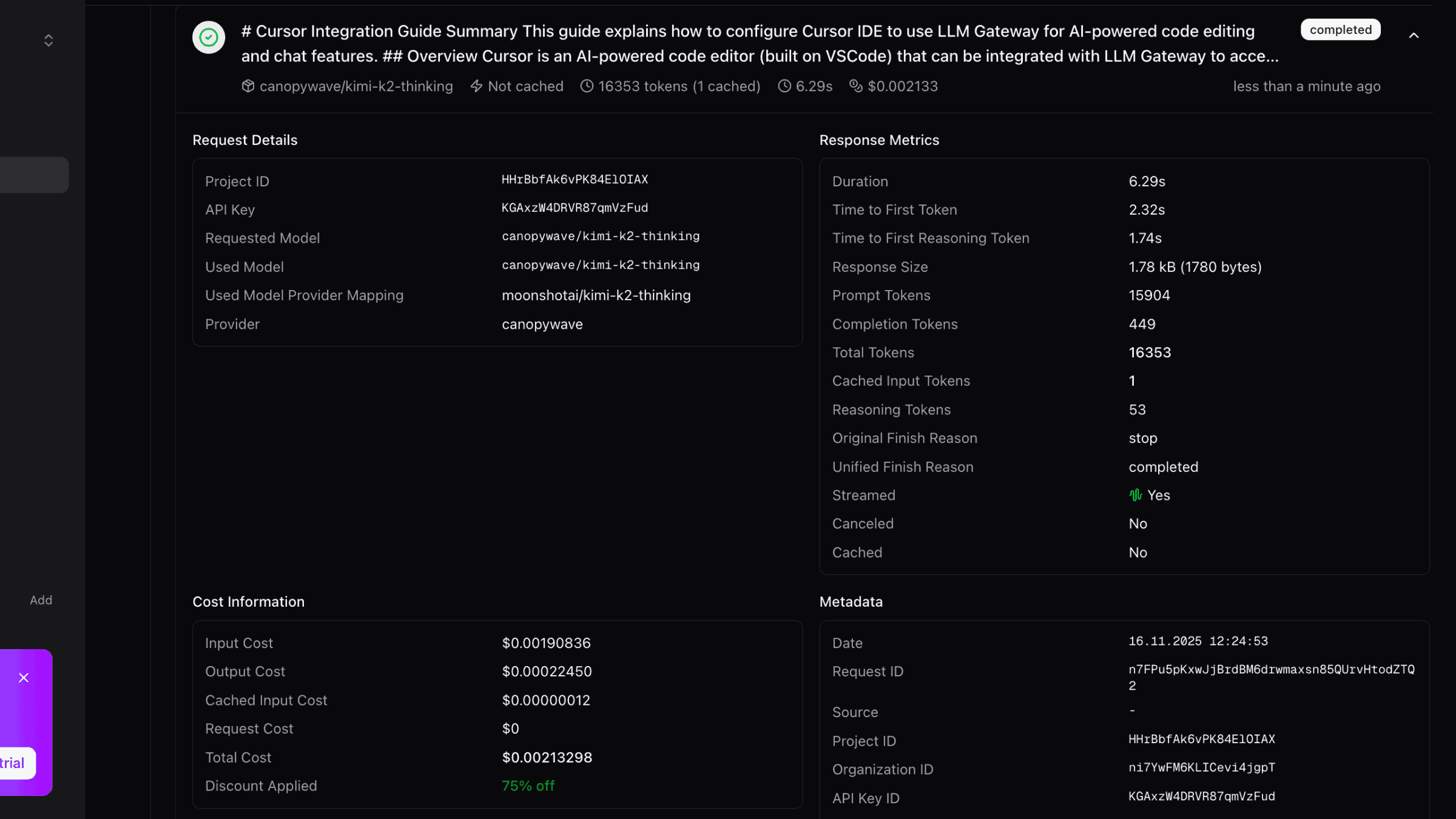
All AI requests will now be routed through AndAI LLM Hub.
Features
Once configured, you can use all of Cursor's AI features with AndAI LLM Hub:
AI Chat (Cmd/Ctrl + L)
- Ask questions about your code
- Request code explanations
- Get debugging help
- Generate new code
Inline Edit (Cmd/Ctrl + K)
- Edit code with natural language instructions
- Refactor functions
- Add features to existing code
Autocomplete
- Get intelligent code suggestions as you type
- Context-aware completions based on your codebase
Advanced Configuration
Using Different Models for Different Features
Cursor allows you to configure different models for different features:
- Chat Model: Use a powerful model like
gpt-5orclaude-sonnet-4-5 - Autocomplete Model: Use a faster, cost-effective model like
gpt-4o-mini - Provider Specific Model: Use a provider specific model like
openai/gpt-5,anthropic/claude-sonnet-4-5,google/gemini-2.0-flash-exp - Custom Model: Use a custom model like
custom/my-model - Free Model: Use a free model like
routeway/deepseek-r1t2-chimera-free - Reasoning Model: Use a reasoning model like
canopywave/kimi-k2-thinkingwith 75% off discount
This gives you the best balance of performance and cost.
Model Routing
With AndAI LLM Hub's routing features, you can:
- Chooses cost-effective models by default for optimal price-to-performance ratio
- Automatically scales to more powerful models based on your request's context size
- Handles large contexts intelligently by selecting models with appropriate context windows
Troubleshooting
Authentication Errors
If you see authentication errors:
- Verify your API key is correct
- Check that the base URL is set to
https://api.llmhub.andaihub.ai/v1 - Ensure your AndAI LLM Hub account has sufficient credits
Model Not Found
If you see "model not found" errors:
- Verify the model ID exists in the models page
- Check that you're using the correct model name format
- Some models may require specific provider configurations in your AndAI LLM Hub dashboard
Slow Responses
If responses are slow:
- Check your internet connection
- Monitor your usage in the AndAI LLM Hub dashboard
- Consider using faster models for autocomplete features
Need help? Contact AndAI LLM Hub support for troubleshooting assistance.
Benefits of Using AndAI LLM Hub with Cursor
- Multi-Provider Access: Use models from OpenAI, Anthropic, Google, Open-source models and more
- Cost Control: Track and limit your AI spending with detailed usage analytics
- Caching: Reduce costs with response caching
- Analytics: Monitor usage patterns and costs
How is this guide?
Last updated on